top of page

Autonomous
Soup
New Media Art by
Corrina Espinosa
Soup (Recipes)

Virtually Wearable!
Description : Get ready to dive into the world of Blender as we embark on a journey to create virtual wearables. Using Blender, you'll craft a captivating series of wearable appendages or accessories, ranging from hats and wigs to jewelry and masks. Experiment with textures, shading techniques, and rigging to breathe life into your creations. Additionally, explore online tutorials to expand your knowledge. Once complete, export your designs as GLTF files and transform them i

Build-a-bird Tutorial
Step 1: block out the basic shape of your bird by extruding a cube into vertical sections. Step 2: loop cut your cube bird to create a...

How to make a Wix website/blog
https://docs.google.com/document/d/1rVVBg4f1mT3Ic1NY24pdivaOSsIVAHLIp1Nbvmh5GzU/edit?usp=sharing Use this video tutorial to set up your website and blog. Go to www.wix.com and sign up for a free account to get started. Make sure your website has an about page with a 250 word bio and 5 images, a menu, and a blog page. When your website is ready, post it here

Lab: Getting Started with AI
For this Lab, spend some time exploring this list of AI generators. Use the bank of words, phrases and images you created from the last...
Lab: Random Generators
Random word(ish) Generators This is a list of random generators that could be considered a less deep form of AI. For this pop quiz, go through this list of random generators and spend a few minutes exploring each one. Post the results with the corresponding link on your blog for credit. You should end up with a bank of words, phrases, images, poems, songs and more! If you have trouble downloading images, take screenshots. You can take screenshots of words too. Later you will
Son of a Serendipitous Glitch!
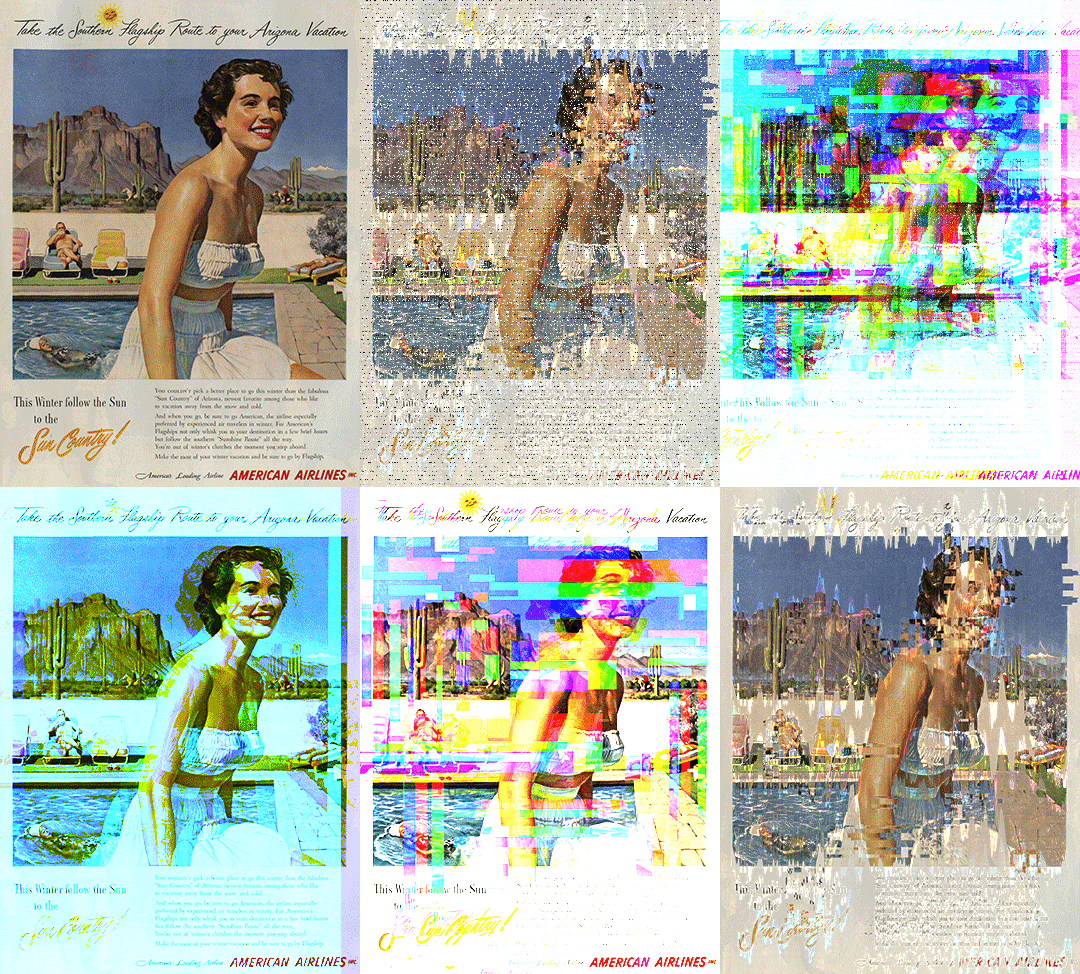
The Assignment: Son of a Serendipitous Glitch! Use random generators to gather words, phrases and images, input this random data into a variety of AI art generators and collect the output images to be further manipulated with a variety of glitch techniques. Go back and forth between the techniques until you are satisfied with the outcome. Make 1 infinite loop using AI (Photoshop Beta). The final product will be a small series of 10-15 curated images/gifs/videos created purely
Class Notes for Blender
Basic Hot Keys: G - Move, + X, Y, Z axis (add a number to move a certain amount of units) S - Scale, + X, Y, Z axis (add a number to move a certain amount of units) R - Rotate, + X, Y, Z axis -90 degree, etc. E - Extrude A - select all, AA - deselect all Shift D - duplicate, + X, Y, Z axis x - delete tab - edit mode/object mode hold down option to select multiple edges/faces in a row. **Always add objects in object mode **Edit them in Edit mode Add > mesh - where add your sh

Lab: Pixel Sorting
Pixel sorting is a coded algorithm that sorts pixels in the rows/columns of images, depending on a variety of factors including color,...

Lab: Glitching images with text apps
For This Lab you will need to post 15 images on your blog: Step 1: Find 5 random images of visual interest. You cannot use these images again for your project, so focus on fun visual images and not conceptual images for now. Step 2: Save all 5 images in a folder Step 3: Glitch each image at least 2 times using the text editing technique described below. Save them each individually. You may have to attempt multiple times to get an effect. Step 4: Post the two best glitches for

Lab: Audacity Glitch
In this Lab tutorial you will learn how to glitch images using free, cross platform software called audacity. It's intended purpose is editing music, so let's break some files and see what we come up with! Follow these steps to complete this Lab. Choose 3 images to glitch. Glitch each one 3 times. When you are done, post BOTH the original 3 images and 3 different glitched images on your blog. Make sure you title your blog "Audacity Glitch Lab" STEP 1: Prepare your image in
Follow Us


bottom of page